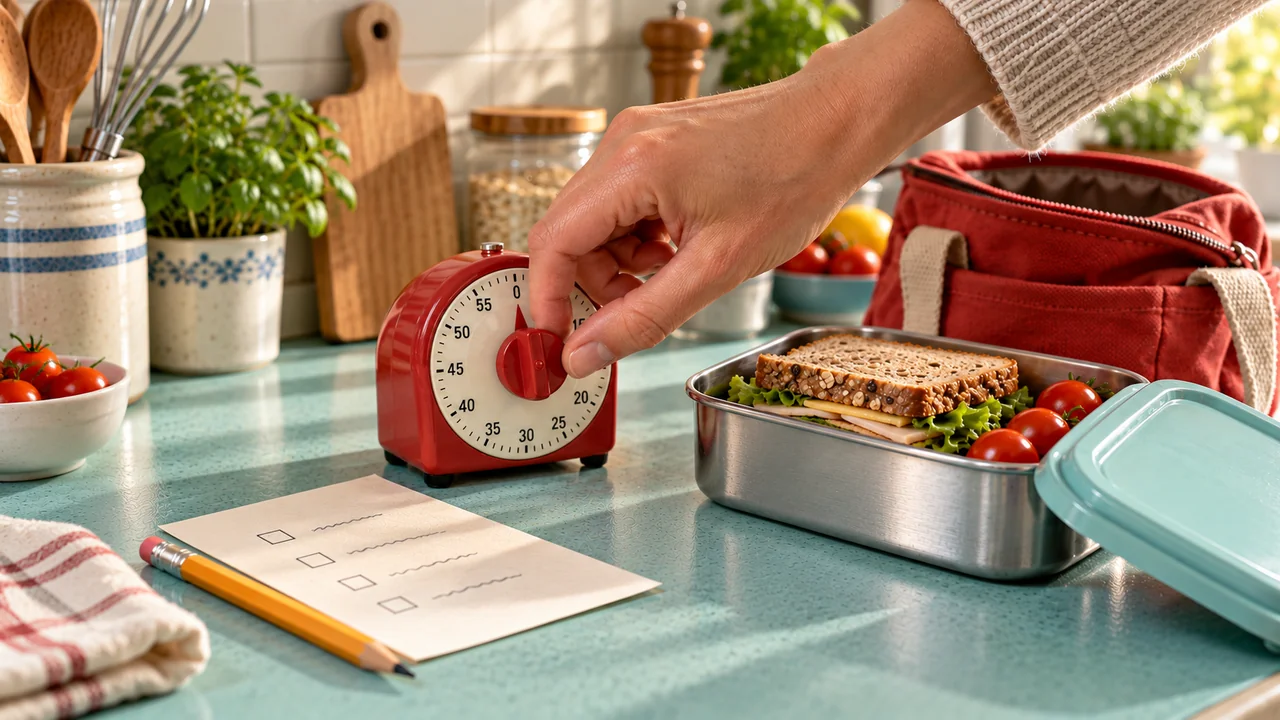
How to Estimate Task Time Without Rushing the Task
Estimate task time with a simple manual record. Separate work from interruptions, compare similar attempts, and choose routine timers that stay open to change.


To estimate task time, define a clear start and end, write down your first guess, then observe the task at your usual pace. Keep interruptions separate where you can. Use those notes to change the next allowance, not to decide how quickly you should have worked.
“Pack my bag: five minutes” may seem reasonable until you include finding a clean container, checking the item list, and putting spare things away. A useful estimate covers the real task, not just its easiest middle part.
You can do this with paper and a clock. A few clear notes about the uncertain step are often more useful than logging your whole day. If you are still working out which actions belong together, first turn the checklist into a clear sequence.
Treat an estimate as a plan, not a speed target
There are two numbers worth keeping distinct:
- Task time: the work and required waiting that belong to the defined task.
- Elapsed time: all the time from starting to stopping, including unrelated interruptions and separate breaks.
Both matter. Task time helps you choose a countdown. Elapsed time helps you decide whether the whole activity fits before your next commitment.
A paused timer does not stop the rest of the day. If a call interrupts packing, you still need to allow for the time that passed, even if you do not want the call included in “minutes spent packing.”
The examples below use invented, editable numbers to show the method. They are not user results or recommended task speeds. Keep care, travel, and safety work under their required instructions, not a personal timing target.
- DefineName the start, end, and included work.
- ObserveRecord time without racing the clock.
- SeparateKeep known interruptions beside the task.
- CompareUse attempts with similar conditions.
- ReviseChange the task and the wider plan separately.
A better record can explain a mismatch. It cannot guarantee the next finish time.
1. Define the task before you time it
Choose one repeat task with an end you can see. “Get ready” is too broad for a useful first observation. “Pack every item on the work-bag list and close the bag” gives the timing a clear boundary.
Write a small definition card:
Task: Pack the work bag.
Start: Begin gathering the items on the already checked list.
End: Listed items are packed and the bag is closed.
Included: Finding the listed items in their usual places and packing them.
Not included: Checking tomorrow's requirements, returning spares, or travelling.
Count necessary setup, movement, and cleanup somewhere. Otherwise the estimate will leave a gap between “I decided to start” and “I was ready to do the timed part.”
Compare the same version of the task. Packing from ready supplies is not the same as packing while searching through an unpacked suitcase. Keep the setting beside the minutes when it changes the work.
Thomas and König's task-prediction experiments found less prediction bias when students had previously done the same task. Their experiments did not detect a change in bias from exact duration feedback. The limited lesson is to notice task similarity, not to promise that a stopwatch log makes every estimate accurate.
2. Keep the first guess, then observe what happens
Write the planned allowance before you start. Do not replace it with the observed number afterward. You need both to see what changed.
Use a clock's start and end readings or a stopwatch. Work as you normally would; the first estimate is not a time to beat. If the task remains unfinished, record that fact rather than treating the stopped time as a full-task duration.

During the observation, note only what you can reliably tell apart:
| Category | What belongs here | Example |
|---|---|---|
| Task work | Necessary action, setup, movement, and cleanup. | Finding and packing listed items. |
| Required waiting | A wait that belongs to the task. | A required document finishing printing. |
| Interruption | Something outside the task. | An unrelated call. |
| Rest | A separate break from the task. | Stopping to rest before continuing. |
| Unknown | Time you cannot reliably classify. | A gap with no clear note. |
Scroll sideways to see all columns.
Do not count the same minute twice. If printing runs while you pack other items, the overlap is one part of elapsed time, not two additions. If a detailed split is difficult, keep the elapsed total and mark the split incomplete.
Whole-minute estimates are fine when that is the detail you need. Label them approximate. A brief clock check does not support a result stated to the second.
3. Compare planned and observed time on the same basis
For this worksheet, the planned task allowance includes necessary work and required waiting. It excludes unrelated interruptions and separate rest. Use that same meaning when comparing the result.
When the categories are complete and do not overlap:
- Observed task time = task work + required waiting.
- Elapsed time = observed task time + interruption + rest.
- Task difference = observed task time − planned task allowance.
Suppose you planned six minutes for packing. The task involved eight minutes of work and an unrelated four-minute call, with no required wait or separate break. Task time was eight minutes; elapsed time was twelve minutes.
The packing task exceeded its allowance by two minutes, not six. The full activity occupied six more minutes than the original task-only plan, but four of those belonged to the call. That difference tells you what to change.
If you cannot reliably time the call, do not subtract a guessed four minutes as though you measured it. Keep the twelve-minute elapsed observation and mark the active split unknown.
4. Look at similar attempts, not only the fastest one
One observation gives you a starting point. Repeat it when useful, under conditions that make the comparison meaningful. There is no required number of attempts in this method.
Here is a small hypothetical record of the same packing task. Each row has no required waiting or separate rest.
| Attempt | Planned task allowance | Observed task time | Interruption | Elapsed time |
|---|---|---|---|---|
| A | 6 minutes | 8 minutes | 4 minutes | 12 minutes |
| B | 6 minutes | 7 minutes | 0 minutes | 7 minutes |
| C | 6 minutes | 9 minutes | 2 minutes | 11 minutes |
Scroll sideways to see all columns.
Task time ranged from seven to nine minutes. Elapsed time ranged from seven to twelve. Those ranges answer different planning questions.
If you want a middle value, sort each set separately. The median task time here is eight minutes; the median elapsed time is eleven. Eleven minutes is not “typical active packing” in this example.
A median is not an upper limit. Neither is the longest observation in a tiny record. Keep the range and context visible instead of turning one convenient number into a promise.
5. Change the countdown and the wider plan separately
Choose a new task allowance from what you observed, then consider the rest of the sequence. Transitions, interruptions, rest, and uncertainty can need space outside the individual countdowns.
In the packing example, you might choose nine minutes for the next packing attempt. That is an editable choice from the sample range, not a reliable maximum. Suppose the whole preparation sequence now looks like this:
| Part of the plan | Example allowance |
|---|---|
| Check required items | 4 minutes |
| Gather and pack items | 9 minutes |
| Return spares and close the area | 3 minutes |
| Task-time subtotal | 16 minutes |
| Separate interruption reserve | 4 minutes |
| Separate room for other variation | 3 minutes |
| Total paper planning allowance | 23 minutes |
Scroll sideways to see all columns.
The arithmetic is 4 + 9 + 3 = 16, then 16 + 4 + 3 = 23. The last two allowances serve different purposes; they are not the same minutes counted twice. Add any needed rest or extra setup separately if it is not already included.
Twenty-three minutes is a paper allowance, not an app forecast or a guaranteed finish. If the available period is smaller, move or remove work. Shorter countdowns do not make the same work take less time.
For days with different task needs, keep separate versions. The changing-schedules routine guide shows how to choose a sequence from current conditions instead of forcing every day into one plan.
Copy a small timing record
Write the task definition above this record. Add rows only while they help you make a decision.
| Field | Your entry |
|---|---|
| Date and task version | Which conditions applied? |
| Planned task allowance | Keep the original guess. |
| Observed elapsed time | Start to end, including interruptions. |
| Known parts | Work, required wait, interruption, rest, or unknown. |
| Completion state | Finished, or what remained? |
| Next change | Duration, task size, preparation, or wider allowance. |
Scroll sideways to see all columns.
Read the note before changing every timer. “Items were not ready” may call for earlier preparation. “Same task needs more room each time” points toward a longer allowance. “Call interrupted me” may call for more elapsed space, not a larger packing task.
Use your notes to set Skye's task times
Skye guides manually entered tasks in order, with a timer for each task. You can pause, skip, or change the time when needed. Enter the future durations you choose from your own notes; see timer help for the controls.
Skye's task summary shows recorded actual time and overtime for each task, plus total routine time. Use those figures alongside your notes, not as an automatic account of what caused a delay. The timer cannot identify whether the counted time involved packing, searching, or an unrelated call. Keep interruptions and other conditions in the manual record above.
Frequently asked questions
Can I use Skye's summary to revise a task estimate?
Yes. The summary shows each task's recorded actual time and overtime, plus total routine time. Compare those figures with the same version of the task and your notes about conditions. The timer help explains how to change the next allowance; the summary does not identify the cause of every delay.
How should I record a call that interrupts a task?
Pause the task countdown if useful, and record how much outside time passed separately. If you cannot measure the call reliably, keep the full elapsed observation and mark the split unknown. Do not subtract a guessed interruption as though it were measured.
Should I use my fastest attempt as the next task duration?
Not automatically. Compare attempts with similar materials, scope, and conditions, and keep the range visible. Choose an allowance you can revise, then leave separate room for interruptions or rest. The checklist conversion guide helps when the task itself still needs a clearer boundary.
Observe one task before changing the whole routine
Choose the step whose duration is most uncertain. Define its end, keep your first guess, and observe one ordinary attempt without rushing. The useful result is a clearer next plan, not a faster version of you.
Skye facts checked against app source October 20, 2026. The app was not tested for this update; external source checks were not repeated.
A little space for ideas that fit into real life.
More from the blog