Routinery Alternatives: Free Timers for Daily Routines
Skye offers unlimited routines for free, with step-by-step timers and no feature paywalls. Compare free plans, trials, and routine controls before switching.

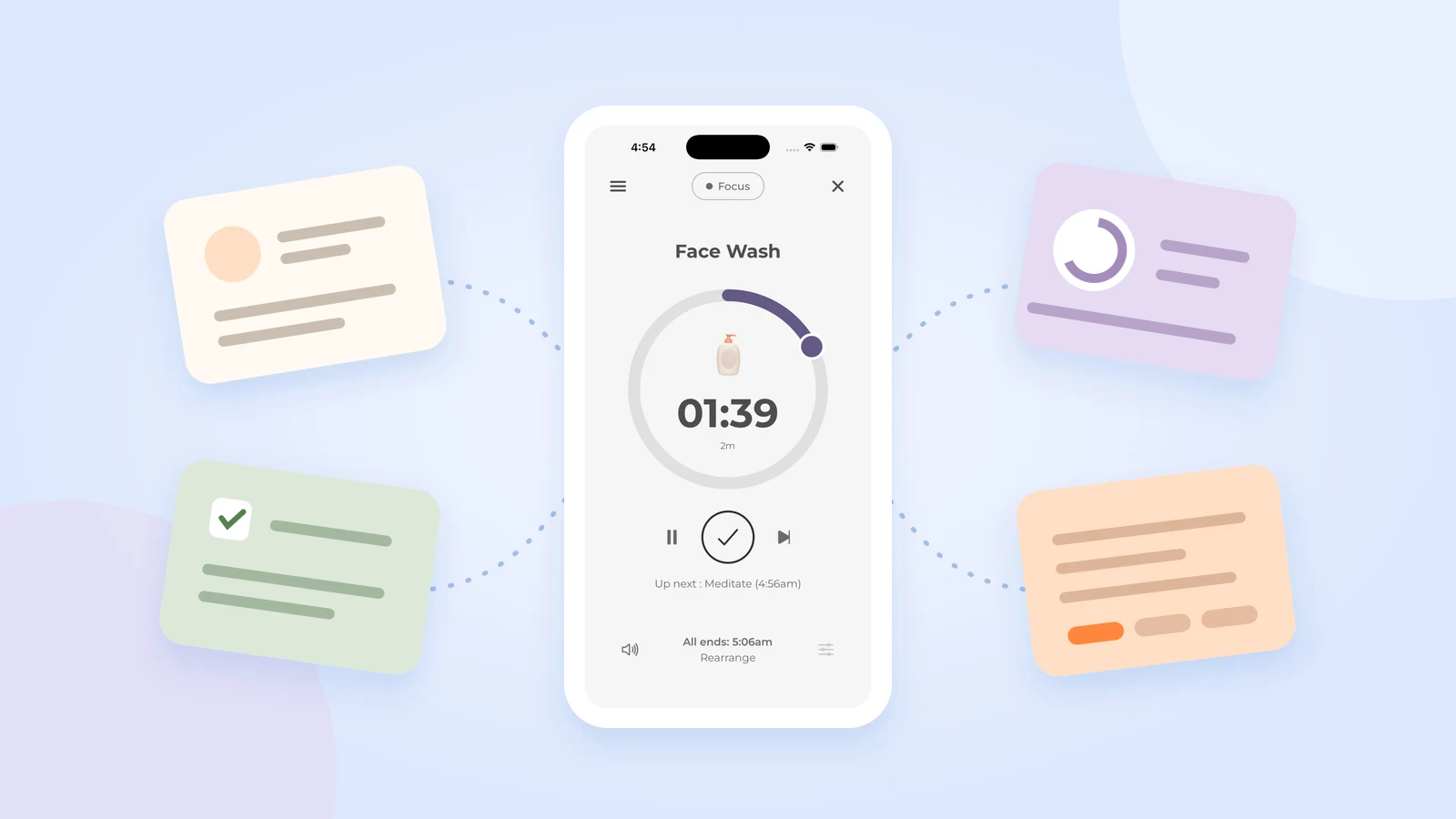
Looking for a free Routinery alternative? Skye offers unlimited routines for free, with all features and no paywalls. Create separate morning, evening, work, and exercise routines without a routine-count cap. Give each task its own timer and follow your steps in order.
You may not need to switch at all. Routinery's current listing includes two free routines. If a morning and an evening sequence cover your needs, keeping the app you know may be the simplest choice.
This guide separates ongoing free access from trials that lead to paid plans, then compares tools by the job you need done. Follow a fixed sequence, review task times, or plan a whole day: those are different needs. Once you find a fit, you can move one routine without rebuilding your whole system.
What is a free alternative to Routinery for timed routines?
Quick answer: Skye is a free Routinery alternative with unlimited routines, a timer for each task, pause, skip, and manual time changes. There is no routine-count cap or feature paywall. Keep Routinery if its two free routines meet your needs. Brili offers a trial, not ongoing free access.
Get Skye free and try one familiar routine.
Routinery alternatives: free access and main differences
Start with the row that matches your main need. Routinery is included so you can compare a move with staying where you are. Not every option is fully free, and a full-day planner does not necessarily guide tasks like a dedicated routine timer.
| Option | Free or paid offer | Main reason to consider it | Check before choosing |
|---|---|---|---|
| Skye | Free, with unlimited routines and no feature paywalls. | Task timers, live task changes, optional start reminders, and today's task-time summary. | No spoken guidance, built-in templates, or automatic import. |
| Routinery | Two free routines; Premium lifts the routine cap. | Keep a familiar runner with per-step timing and voice guidance. | Whether your routines fit the free allowance and your required tools stay free. |
| RoutineFlow | Free download with in-app purchases; the listing does not fully explain free feature access. | Timed sequences and listed task-time records. | Which timers and reports require payment. |
| Brili | A 10-day trial, then paid access. | Visual task guidance and downloadable routine templates. | Whether paid access after the trial fits your needs. |
| Tiimo | Free planning tools, to-do lists, and a focus timer; paid Pro tools. | Daily planning alongside task timing. | Which parts of your plan require Pro and how the task flow works. |
| Paper and a basic timer | No new payment if you already have the materials. | A small list with little setup. | You must keep your place and reset each timer yourself. |
Scroll sideways to see all columns.
Compare routine tools by need and cost
Filter by what you need and what stays free. Check the offer before you switch.
Skye
Follow your own steps with a timer for each one. Pause, skip, or change a duration when needed.
Create separate routines for the situations you need. Review task times in the summary.
Get Skye freeRoutinery
Keep your tasks in order with step-by-step timers, voice cues, and controls during a run.
Two routines may cover your morning and evening. Check free access to any other tools you use.
Check Routinery’s offerRoutineFlow
Follow timed steps, then review task-time records and routine history to adjust the next run.
Confirm which timers and records stay free. The listing does not give a full free-feature list.
Check RoutineFlow’s offerBrili
Start from a routine template and follow visual task cues and timers.
Not an ongoing free option. Check the paid-access terms before starting a trial.
Check Brili’s offerTiimo
Keep your daily plan, task list, and focus timer in one place.
Check which tools need Pro. Its task flow differs from a single ordered routine.
Check Tiimo’s offerPaper + a basic timer
Write your steps in order and use a timer you already own.
You keep your place, reset each timer, and record any progress yourself.
“Ongoing free tools” includes limited free plans and materials you already own. Trials and unclear free access are excluded. Competitor offers were checked October 19, 2026. Skye’s free access and routine allowance were confirmed by its developer on October 20, 2026. This is not a hands-on app test.
Decide what you need before comparing apps
Name the problem before you compare apps. A useful requirement describes an ordinary day, not an ideal one:
I need my morning steps in order, with a timer for each one. I need to pause and change times. I do not need a daily calendar or detailed reports.
Use that sentence to decide which features matter. Detailed reports add little if you only need the next task; a longer routine allowance will not solve a missing timer control. If you are still choosing the type of tool, start with routine timers versus habit trackers.
Use these checks for each app:
- Task order: Can you enter your own actions as a sequence?
- Task timing: Is there a timer for each step, or only for the whole session?
- Changes during a run: Can you pause, skip, or change a duration?
- Access: Will the routine you need keep working without payment?
- Records: Do you need completion history or actual task-time reports?
- Setup: How much work will it take to enter and maintain the list?
Check what remains free after setup, not just whether the download costs money. A free tier gives ongoing access to some functions, often with limits. A free trial gives temporary access under stated terms. Skye is free: create as many routines as you like and use all features without a paywall.
Paid prices can vary by location and plan. Check the offer shown before you agree to a purchase, especially if you have been using trial features.
Skye: a free option for your own timed steps
Skye is worth a look when you know the actions but want a clear order and a timer for each one. You build the sequence yourself. The focus is following that routine, rather than arranging everything else in your day.
Skye lets you pause, skip, change a duration, move a task to the end, reorder, or add tasks during the current run. Its finish-time estimate updates as the remaining time changes. The routine and timer help explains setup and controls.
For example, a work-start routine could include clearing a desk, opening a document, and writing the first action. If clearing the desk needs more time, change that task's duration manually. Test those controls with a short sequence before entering every routine you use.
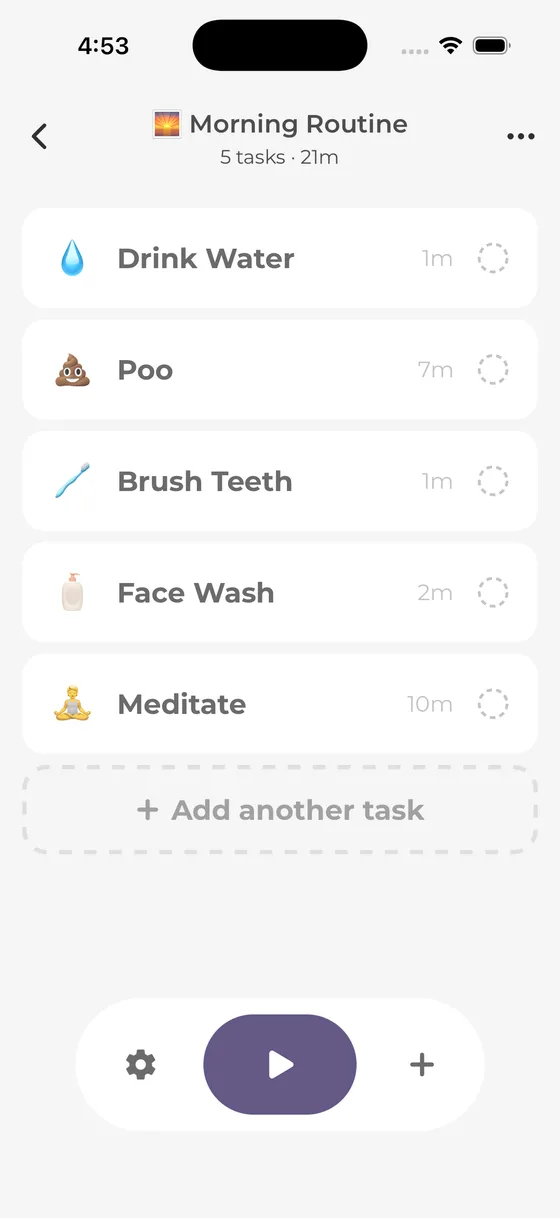
See the sequence in Skye.
Select a screen to see the task list, timer, and completion record. These are real app screenshots, not a live routine.
Write your tasks in the order you need them, then set a time for each. Start with a short sequence.
Consider Skye if you want:
- Your own tasks in a repeatable order.
- A separate timer for each step.
- Room to pause, skip, or change a time.
- Unlimited routines for free, with no feature paywalls.
Skye also includes optional start reminders for timed routines, with notification permission. Auto-next is off by default and can be enabled for each task. Today's routine summary shows actual task times, overtime, and total time. There is no 365-day history browser.
There is no routine-count cap. You can keep separate routines for different days and activities without paying to add another one. Skye has no spoken next-task guidance, built-in template catalog, separate task-notes field, or automatic routine import. Enter your own list and keep old records separately.
Skye's streak counts completed or partial sessions on consecutive calendar days, not only scheduled days. A day without a qualifying session breaks that sequence. The counter measures activity, not habit formation.
Routine and task text stays locally stored. App builds with Firebase Analytics enabled send usage events with an app-instance identifier and nontext usage data; events omit routine and task names. Read the privacy policy. This source review is not an independent security test.
Routinery: when staying is the better choice
If Routinery already runs your morning and evening routines, its two-routine free allowance may be enough. If the task flow also suits you, copying those lists elsewhere adds setup without solving a problem.
Routinery's official timer guide describes voice guidance, automatic movement to the next task, task reordering, and adding tasks during a run. It also describes hiding the remaining time if you do not want to see the countdown.
Several controls are shared: Skye also supports optional Auto-next, task changes during the current run, and hiding the remaining-time numbers. Spoken guidance is a real difference. Routinery's guide does not give a full free-versus-Premium breakdown, so check access to the tools you use before changing a plan.
Keep Routinery on your list if:
- Your routines fit its free allowance.
- You like the current task flow.
- Voice cues or other existing tools are important to you.
- Copying your lists elsewhere would not address a clear problem.
“I need another saved sequence” gives you something to compare. So does “I need a different way to change task times.” If you cannot name a limit that affects your routine, there may be no reason to move it.
Compare the task flow and access terms when deciding whether to switch.
RoutineFlow: when task-time records matter
If your question is “Which task keeps taking longer than I expect?”, look at RoutineFlow's listed records. Its official listing describes custom routines, predefined steps, and a sequence of task timers.
The listing also describes information about how long tasks take, a 365-day history, and notification reminders. Skye also shows task times in today's summary and offers optional start reminders, but not a 365-day browsing view. Compare the review period and detail you need, not timing records against a streak alone.
Consider RoutineFlow if:
- You want an ordered-task timer approach.
- Its listed timing insights provide the review detail you need.
- Its listed 365-day history meets a need in your present setup.
The download is free with in-app purchases. The listing does not clearly assign every function to free or paid access, including the records you may be choosing it for. Treat RoutineFlow as an alternative to check, not a verified fully free replacement.
Before copying your routines, check whether the timers and records you need remain usable without a purchase. That answer matters more than the download price.
Brili: visual guidance and templates, with paid access after a trial
Brili for adults guides tasks one by one with visual cues and timers. Its official page provides templates for morning, work, kitchen cleaning, paperwork, and evening routines.
Brili may fit when writing the first list is harder than following it. Choose a template close to the job you need, then remove actions you do not need and change the times. A ready-made routine is a starting point, not a rule for your day.
Consider Brili if:
- You want to compare visual task guidance.
- You prefer an existing template to a blank list.
- You can consider paid access after a trial.
The adult offer states a 10-day free trial, followed by paid plans. It is not ongoing free access. Prices vary by country, so check the offer shown to you.
Use the trial to answer one question: do the visual cues and templates provide enough help to justify paying? Try one useful sequence rather than building a large library before you decide. Check the trial end date and payment terms first.
Tiimo: daily planning as well as task timing
Tiimo fits a broader need than following a fixed routine. Its homepage lists free planning tools, to-do lists, and a focus timer. It places AI task breakdown and advanced scheduling among paid Pro tools.
Consider this broader approach if the question is not just “What comes after getting dressed?” but “Where does this task fit today?” Daily planning is a different job from following the same short sequence each morning.
The Tiimo focus timer guide describes pause and play controls, adding time, and starting a task from a to-do list. It also says other timers keep running when you switch tasks. Check that flow rather than assume it works like a single ordered routine.
Consider Tiimo if:
- You need a daily plan as well as repeatable routines.
- You want task lists and focus timing together.
- You are prepared to separate its free tools from the Pro tools you need.
The subscription FAQ says the seven-day Pro trial applies to yearly subscriptions; monthly subscriptions are charged immediately. Check those terms before starting paid access.
For washing, dressing, and packing in a fixed order, a dedicated routine timer may be enough. For a changing day, compare Tiimo's planning tools. First confirm that the free tools cover your plan, or that the Pro terms fit what you are willing to pay.
Paper and a basic timer: the low-setup option
A written checklist and a timer you already own can provide the core method without another app. Put the tasks in order, write a planned duration beside each, and start the timer for the current action.
When you move on, read the next line and reset the timer. You handle each change and keep your place on the list.
Choose this method if:
- The sequence is short enough to follow from a visible list.
- You do not need automatic records.
- Entering and maintaining an app feels like extra work.
- You want to check the task order before choosing software.
The tradeoff is repeated manual work. If you lose your place while resetting the timer, task guidance may be worth trying. If reading the next line and setting the next timer are easy, paper may already do the whole job.
You can also time only one part of a routine. A boundary for packing does not require a countdown for every other morning action.
How to move one routine manually
Once you have a reason to switch, move one useful sequence first. Keep a copy of the original list and any records you want to retain. This method uses manual entry, not automatic import or a history transfer. You do not need to move every routine to find out whether the new method fits.
1. Copy the actions and their order
Copy the tasks, not just the routine name. “Get ready” does not tell you what the timer is for. “Put clothes on” and “pack lunch” are actions you can follow.
Leave new optional tasks off the first copy. Moving a routine is easier to assess when you do not also make it much longer.
2. Mark required and optional tasks
For a leaving-home routine, keys may be required while tidying a shelf is optional. Decide this before the morning gets busy.
A skip button can omit a task, but it cannot decide which action is sensible or safe to leave out. Keep that decision in the plan.
3. Choose starting durations
Use your own observations where possible. If you do not know how long a task takes, choose a starting estimate and note what needs to change after a run.
Use this example to draft a small part of your own morning:
| Task | Example allowance | Check afterward |
|---|---|---|
| Put clothes on | 4 minutes | Did choosing clothes need its own step? |
| Prepare a simple breakfast | 8 minutes | Did the allowance cover preparation and clearing away? |
| Pack food and daily items | 4 minutes | Were the needed items easy to find? |
| Check keys and leave | 2 minutes | Was an essential action missing? |
Scroll sideways to see all columns.
These allowances total 18 minutes of listed tasks. Eating, personal care, spare time, and anything else you need must have their own place. Do not treat the total as a promised departure time.
4. Enter the sequence in the new method
In Skye, name a routine and add tasks with durations. Choose a timed start or leave the routine available to start when ready. For a timed reminder, enable it and allow notifications. The routine setup overview shows the basic process. Skye does not import routines or old history.
If you choose paper, write the same list where you will use it. Keep old streaks and history separate unless a checked transfer method says otherwise.
5. Check the controls before a hard deadline
Try a short run when you have room to stop. Check the actions that matter to you: pausing for an interruption, finishing early, and allowing more time.
Confirm any required sound or cue yourself. The point is to check your needs in use, not assume every routine app behaves the same way.
6. Review access and revise one step
Check that the required functions fit the free offer or paid terms you chose. For a trial, check the end date and payment conditions.
Then note one unclear task, poor estimate, or missing item. Change that part before adding more routines. If the new method adds work without solving the original problem, keep your old setup. Copying a list does not commit you to using it.
Three everyday choices
These examples show how to apply the comparison. They are not reports from users or app tests.
Getting ready for a commute
If you know the actions but lose your place between them, compare ordered task guidance first. Skye and Routinery both publish that function. Keep Routinery if its free allowance meets your need; compare Skye if its free offer and controls address a reason to change.
Include easy-to-miss actions such as packing. Keep spare time separate from the task total, and check your own pace instead of copying an ideal morning.
Starting a study session
Collecting materials, opening an assignment, and choosing the first exercise form a small preparation routine. A guided timer can hold that order.
If you also need to arrange classes, deadlines, and other tasks, Tiimo's wider planning approach may be more relevant. Skye's summary covers today's task times; for a longer review, compare RoutineFlow's listed history and reports with their access terms.
A kitchen reset after dinner
Moving dishes, clearing one counter, resting, and putting supplies away can form a small household sequence. Paper and a basic timer may be enough. Skye adds ordered task guidance, while Brili provides cleaning templates under its trial-to-paid offer.
Define the work area before starting, and do not let a timer shorten product directions. The cleaning routine checklist gives a worked example with planned rest and safe close-down.
Frequently asked questions
Is Routinery free?
Routinery's listing offers two free routines, with paid access lifting the routine cap. That may cover a morning and evening sequence. Check access to any advanced function you need before paying or moving a working routine.
How many routines can I create in Skye for free?
You can create unlimited routines in Skye, with all features free and no paywalls. Keep separate morning, evening, work, and exercise sequences without paying to add more. Try one familiar routine before entering the rest.
Which alternatives include task-time records or reminders?
Skye shows actual task times, overtime, and total time in today's summary, with optional start reminders for timed routines. RoutineFlow lists timing insights, reminders, and a 365-day view, but its exact free access needs checking. Compare the two apps' records.
Can I move my Routinery routines and history automatically?
Skye does not import Routinery routines or history. Enter task names and durations manually and keep needed old records separately. Copying a list does not cancel a subscription. Skye support explains routine setup and controls.
Keep the smallest system that works
Choose the tool for the part you need help with. Skye offers unlimited routines, guided task timers, optional start reminders, and today's task-time summary for free. Routinery may already cover your needs with two free routines. RoutineFlow lists a 365-day view, Brili offers visual guidance and templates with trial-to-paid access, and Tiimo combines free planning tools with paid Pro tools.
Paper remains a complete option, not a failed version of an app. Move only when a specific limit, missing control, or unsuitable task flow gives you a reason.
If free guided steps fit your need, try one routine in Skye. Copy a short sequence you already use, set a time for each task, and try the pause and time-change controls when you are not rushing. Leave the rest of your system alone while you decide whether to keep it.
Sources and method
External sources checked October 19, 2026. Skye facts checked against app source and developer confirmation October 20, 2026. This is not a hands-on benchmark, security audit, or outcome study. Competitor offers can change, and the example times are suggestions to revise.
- Skye listing, support, and app privacy policy: current free offer, timer controls, setup, streak rule, and data policy.
- Routinery listing and timer guide: free routine allowance and listed task guidance.
- RoutineFlow listing: timed sequences, task-time records, history, reminders, and in-app purchases.
- Brili for adults: visual guidance, templates, and trial-to-paid terms.
- Tiimo homepage, focus timer guide, and FAQ: free tools, task flow, and Pro payment and cancellation terms.
A little space for ideas that fit into real life.
More from the blog